
Adding data through a UI View
With Pega Platform, it is possible to create portions of your Data Model while creating a View.
Configuring Fields
You can use the Configure a View screen to add new fields to the Case Type Data Model as needed throughout application development.
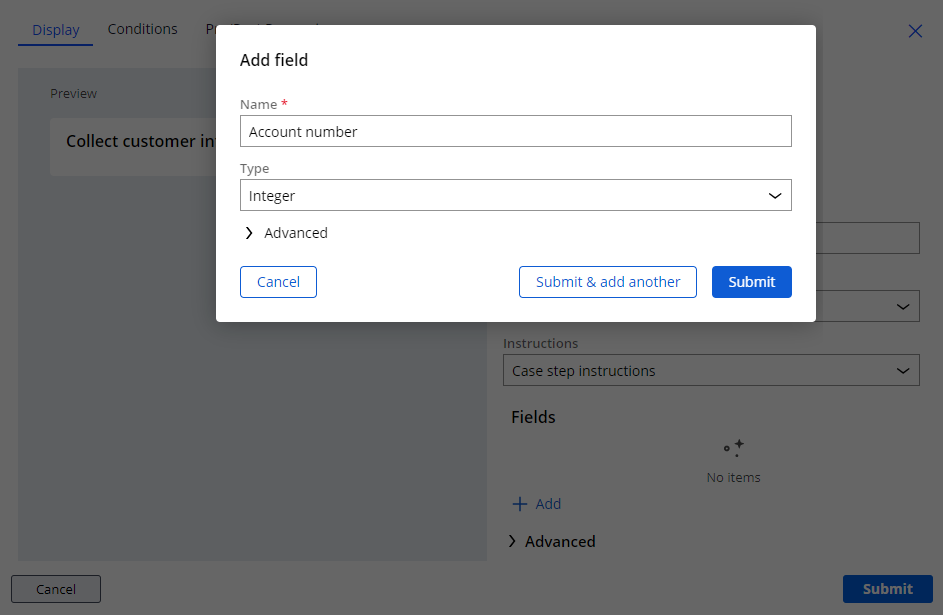
For example, the Data Model in your application includes a reusable data object named Customer that aggregates customer information such as First Name, Last Name, and Email. A new business requirement dictates that that the application also gathers the customer's account number. You may choose to add the Account number field when configuring the Collect customer information View in the Edit View screen.
The following figure displays adding a new field from the Edit View screen:
Despite the ability to add fields to the Data Model directly from a View, as a Pega Business Architect, it is best practice to create the Data Model by using the Data tab in App Studio first, keeping reuse and inheritance in mind.
This Topic is available in the following Modules:
If you are having problems with your training, please review the Pega Academy Support FAQs.
Want to help us improve this content?