

Case Lifecycle
Customer interactions, which start when clients first hear about a product offering and continue throughout their relationship with Pega, can be thought of as journeys. In Pega Platform, you break the customer journey into smaller pieces which drive the organization to achieve a specific goal. Traditional business applications are based on individual transactions and are built on standalone applications for different departmental functions. Siloed applications make it difficult for various business departments to work together and effectively achieve business outcomes.
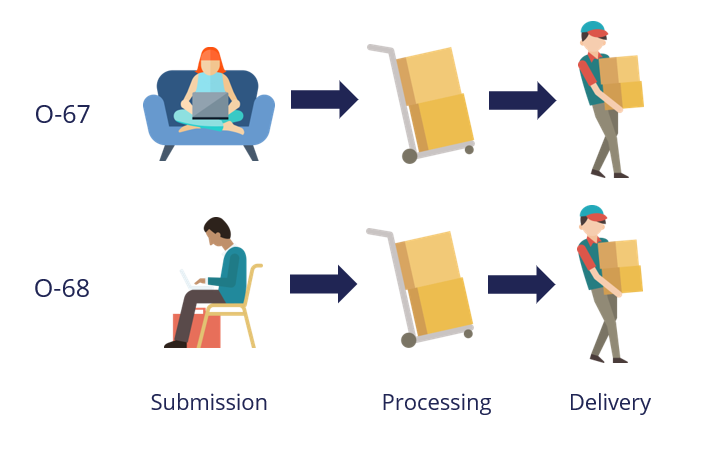
Pega thinks applications should function the same way that users think about and describe their work. For example, consider an online order process: the customer submits the order, and the company processes and then delivers the order. A Pega Platform™ application that models the online order process follows the same sequence.
Case Types and Cases
A Case Type is an abstract model of a business transaction. Case Types model repeatable business transactions. A Case is a specific transaction instance. To model the online order transaction in Pega Platform, you define an online order Case Type that advances from submission to processing and then delivery. As shown in the following image, each time a user submits an online order, Pega Platform creates an order Case and assigns the Case a number.
Case Lifecycle
You define the Case Lifecycle for a Case Type to help you visualize the work that must be completed as part of the desired business transaction. The Case Lifecycle represents the end-to-end flow of work required to deliver a specific customer or business outcome. The Case Lifecycle models the path your Case follows to resolution. The major building blocks of the Case Lifecycle are Stages, Processes, and Steps.
Match the numbers to the following image to learn about the building blocks of a Case Type:
- Stage
- Process
- Step

Stage
When you design a Case Lifecycle, you begin by organizing work into Stages. Stages define the top-level organization of actions that your business processes.
Each Stage marks a distinct phase, or milestone, in the Case Lifecycle. Stages organize the business process into a sequential and logical collection of actions or activities that drive the process toward resolution.
For example, in an online order, you expect three different groups to participate: customers placing orders, warehouse employees processing orders, and shipping service employees delivering orders. Therefore, you create three Stages in the online order Case Type: Submission, Processing, and Delivery.
Process
Processes contain a series of Tasks, or Steps, that users complete as they work on the case. Each Stage can contain one or more Processes.
When you add Processes to a Case Type, you organize related tasks in a logical way. You also define an order of events so that a Case can only move to the next Process after completing the Steps in the current Process.
For example, Place Order, Process Order, and Ship Items are Processes.
Step
A Step is either a user action or automated action within a Process performed by the application. A Step that requires user action is referred to as a Task or an Assignment. Steps performed by the system are referred to as Automation Steps.
By using a variety of Step types, you ensure that your redesigned business processes include all relevant and necessary actions to achieve the strategic outcome.
For example, Enter customer details is a Step in the Place Order Process that requires users to enter information.
Naming conventions
Consider the following naming conventions when you create Stages, Processes, and Steps in a Case Lifecycle.
Name Stages by using a noun, noun phrase or gerund (which acts as a noun phrase) to describe the section context. As much as possible, try to use no more than two words. Use names that are meaningful and relevant to business users. In the previous example, the company processes the order in the second Stage of the order Case Lifecycle, so you name the Stage Processing.
For Stages that do not resolve the Case, test your Stage naming choice by checking if it sounds correct in the following test sentences:
This Case is in <Stage name>.When does this Case move to <Stage name>?How many Cases are in <Stage name>?
Read the sentence aloud with your proposed Stage name. If the Stage name does not correctly fit in these sentences, consider revising.
Name Processes and Steps by using the verb + noun naming convention. In the order Case example, in the Processing Stage, you name the process Process order. You name the Steps in this Process Check inventory and Pack items.
Check your knowledge with the following interaction:
This Topic is available in the following Modules:
If you are having problems with your training, please review the Pega Academy Support FAQs.
Want to help us improve this content?