

Field Types in Constellation
Fields model single instances of data that are needed to resolve a Case. Each field consists of a name and a Field Type. The Field Type defines the format that information must be in to ensure its accuracy. Fields are used to define the attributes of a data object, and single-value fields can also be added directly to a form in a Case Type to gather information from a user.
Identifying the fields and Field Types associated with the information required for Case resolution is integral to the creation of the application's Data Model, and therefore, the Constellation UI.
In this topic, you examine fields and the available Field Types in Pega Platform™.
Fields
Fields are named, reusable UI components that collect, display, and store single pieces of information that are required when processing a Case. Fields can be added directly to a Case Type to capture information input by a user that is important to the resolution of a Case, or fields can be used to describe a data object.
In the following figure, the Customer data object consists of fields, including Address, Address Mode, E-Mail, First Name, Globally unique ID (which is automatically generated by Pega Platform), , and :
Note: You designate Primary Fields to automatically add the most relevant fields to certain Case Views, reducing the amount of UI configuration that is necessary. Pega Platform automatically generates a Primary Fields View and adds it to the Create, Edit, and Details Views. For more information about Primary Fields, see Designate Primary Fields.
Field Types
When you create a field, you also assign a Field Type. The Field Type determines the format of the data that can be entered into the field, and as a result, the type of information that is stored in the system. Field Types also determine the type of control that is automatically paired with the field in the user interface. By assigning a Field Type, you ensure that users provide valid information in the field and that the system displays data in the correct format.
For example, a field named Metro area would be assigned a Field Type of Text and store the value Boston, as shown in the following Booking form:
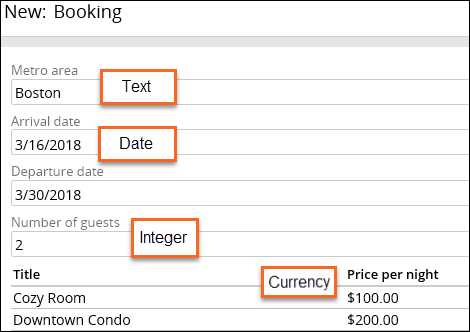
When creating a field, Pega Platform predicts the Field Type. By default, the Field Type is Text (single line). In the following example, when you name the field Arrival date, the system detects date in the name and sets the Field Type to Date only:

Tip: Verify your Field Type is correct before clicking Submit.
Pega Platform includes a variety of Field Types for use in an application.
Available Field Types
The following table lists some of the Field Types available in Pega Platform and the information that each type stores:
| Field Type | Type of Data | Field Example |
|---|---|---|
| Text (single-line) | Any single line of text. |

|
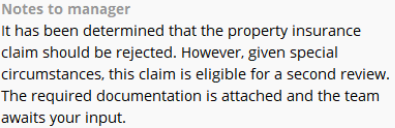
| Text (paragraph) | A large text box that accepts multiple lines of text. |
|
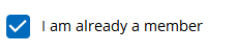
| Boolean | Allows users to select a checkbox to indicate one of two possible responses. |
|
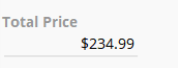
| Currency | Currency symbols and values are stored based on the default currency type. |
|
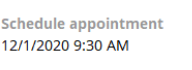
| Date & time | UTC (Coordinated Universal Time) value normalized to Greenwich Mean Time (GMT). Date automatically displays in a localized format. |
|
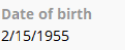
| Date only | Calendar date with a localized format. |
|
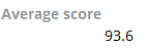
| Decimal | Numbers with a fractional component. Use this Field Type when fractions are needed. |
|
| Valid email format with an @ symbol. An email field is an action-oriented control, meaning the value stored in the field is displayed as a link. For an email, the link initiates users' default email application. |
|
|
| Integer | Positive and negative whole numbers, including the value zero (0). |
|
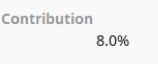
| Percentage | Positive and negative decimal numbers entered as a decimal and displayed as a percentage. For example, .5 displays as 50%. |
|
| Phone | Digits display in a localized format. A phone field is an action-oriented control, meaning the value stored in the field displays as a link. For example, if users access the application on a mobile device, the phone number link initiates a phone call. |
|
| Picklist | A list of predefined values. |

|
| Time only | UTC (Coordinated Universal Time) value normalized to Greenwich Mean Time (GMT). |

|
| URL | Web address. A URL field is an action-oriented control, meaning the value stored in the field displays as a link. For a URL, the link initiates the user's default browser and opens the target web page. |
|
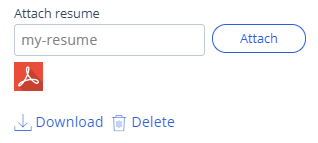
| Attachment | Documents or files. |
|
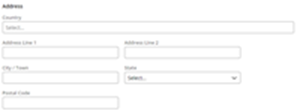
| Address | A region-specific address format. The UI displays the Country field as a dropdown list. Depending on that selection, the UI displays a set of country-specific fields. |
|
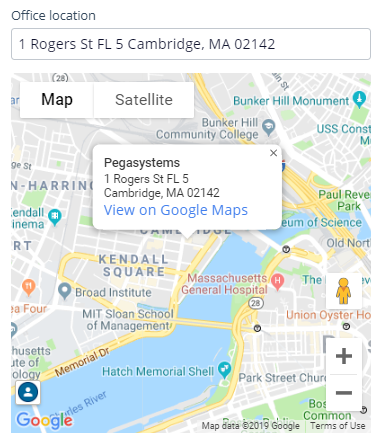
| Location | Address input or automatic geolocation. |
|
| Prediction | Displays the results of a Prediction. Predictions contain fields, which you can configure on the UX tab as standard text and decimal fields. If you have access to Prediction Studio, the Prediction field displays a link to the source Prediction. | You can use this field to display the probability of missing a service-level-agreement. |
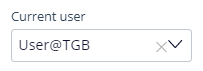
| User reference |
Enter or select a user ID that exists in the system. The drop-down list or search field shows a list of every operator mapped to the current application rule. |
|
| Case reference | Holds instances of a selected Case Type. |

|
| Data reference | Used when the data needed in a Case is sourced either from locally stored Data Records or from data accessed from an external system of record. | 
|
| Embedded Data |
Collects user input or a user action that is made directly inside a Case instance. The data in an Embedded Data Field Type is stored within a Case instance instead of sharing a data source. The data in an Embedded Data Field Type forces all usage of the field to be in a common format across the application. |

|
| Query | Retrieves data that is stored in an external system by referencing a Data Page. The Data Page defines parameters that the Query data relationship is configured to use. |  |
Note: For additional information on the concept of fields and Field Types as they relate to the Data Model, see Configuring fields associated with Case and Data Objects.
Check your knowledge with the following interaction:
This Topic is available in the following Module:
If you are having problems with your training, please review the Pega Academy Support FAQs.
Want to help us improve this content?