
Configuring a knowledge article suggestion
5 Tasks
5 mins
Beginner
English
Scenario
Customers of U+ Bank initiate a chat session with a live CSR and state that they want to know about the credit card benefits. The expected outcome is that Messaging AI analyzes the conversation, and then suggests the Pros and cons of credit cards article to the CSR.
Use the following credentials to log in to the exercise system:
| Role | User name | Password |
|---|---|---|
| Self-Service Application Administrator | Eduselfserviceadmin | rules |
| Customer Service Representative | CACSR | password123! |
Your assignment consists of the following tasks:
Task 1: Add knowledge article
On the Configuration tab of your Pega Digital Messaging interface, in the Suggested knowledge articles section, add the knowledge article.
Task 2: Edit topics
In the Text Analyzer section of the Behavior tab, enter words that can trigger the article.
Task 3: Make a CSR available
Log in to the Interaction Portal as a CSR, and then make the CSR available to service customer requests.
Task 4: Initiate a chat with a CSR
Log in to the U+ Bank website, and then initiate a live chat with a CSR.
Task 5: Confirm your work
On the Interaction Portal, confirm that the Messaging AI analyzes the conversation, and then suggests the Pros and cons of credit cards article to the CSR.
Challenge Walkthrough
Detailed Tasks
1 Before you begin
If you requested a new Pega instance, ensure that you complete the Creating a Digital Messaging interface challenge before you continue to the next task.
2 Add knowledge article
- Log in as a system architect, using the User name Eduselfserviceadmin and the Password rules.
- In the navigation pane of App Studio, click Channels to open the Retail bank Digital Messaging interface.
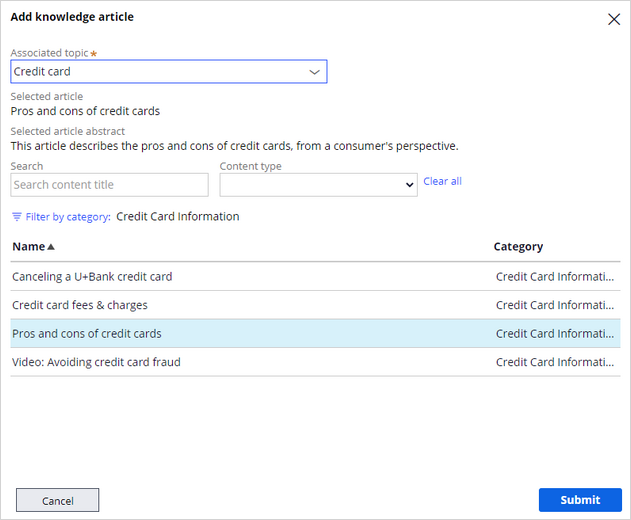
- On the Configuration tab of the Digital Messaging interface, in the Suggested knowledge articles section, click Add knowledge article.
- In the Associated topic list, enter Credit card.
- Click Filter by category, and then select Credit Card Information.
- Select the Pros and cons of credit cards article.
- Click Submit to add the knowledge article.
3 Edit topics
- Click the Behavior tab to enter words that can trigger the knowledge article.
- In the Text Analyzer section, click Edit topics button.
- Search for the Credit card topic.
- In the Approximate match section, enter words, such as: Pros,cons,benefits,advantages,disadvantages
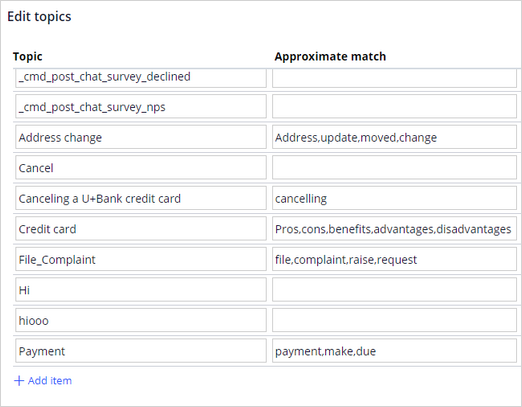
- In the Approximate match section, enter words, such as: Pros,cons,benefits,advantages,disadvantages
- Click Submit to save the changes.
- In the upper-right corner, click Save to save your updates.
4 Make a CSR available
- Log in to the Interaction Portal, using the User name CACSR and the Password rules.
- In the header, click the Chat icon to make the CSR available.
- Click Manage queues, and then select the queues to receive requests from customers.
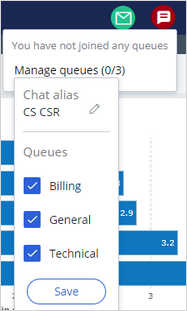
- Click Save to make the CSR join the queues.
- Click Make me available to enable the CSR availability for a live conversation with customers.
5 Initiate a chat with a CSR
- Select U+ Bank to open the U+ Bank website.
- Click the chat icon to open the chat widget.
- Start a conversation by entering
Live personin the chat window to connect with a live CSR.
Note: You can also enter Help, chat with agent, human, real person to connect with a live CSR.
- Select the I have a general questions option, and then proceed to initiate a chat with a live CSR.
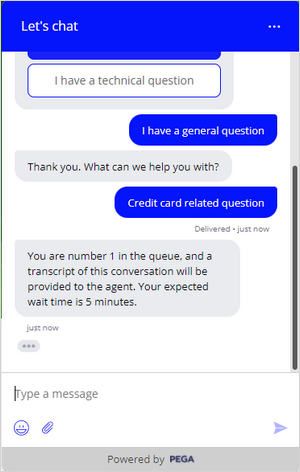
- Accept the call.
If you are having problems with your training, please review the Pega Academy Support FAQs.
Want to help us improve this content?