
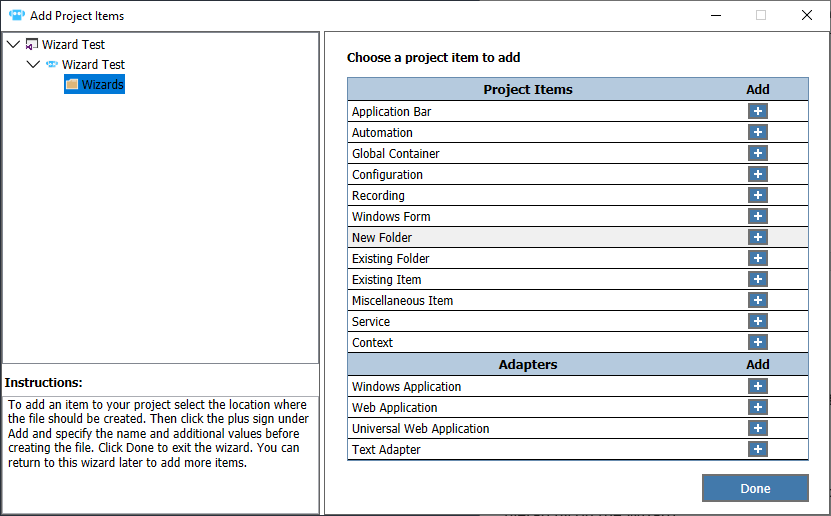
Pega Robot Project Wizard
The Pega Robot Project Wizard allows you to create new projects that include any required project items. The wizard:
- Standardizes the software development process by offering common initial values for the solution.
- Allows you to add and customize all components within a project at one time instead of using several processes.
- Allows you to create a new file directory and specify organization structure for the project.
Pega Robot Project Wizard features
The Pega Robot Project wizard also allows you to add and configure various project items:
- Adapters – You can specify the Application path associated with a Windows adapter or the URL for the start page of a web application.
- Automations – You can add an automation using an automation template.
- Global Containers – You can add specific variables and components to the global container.
- New Folder – You can add a new folder to a new or existing project and organize the solution’s project items. When you create a new folder for the project, you can see changes to Solution Explorer in real time.
Hinweis: It is a best practice to add folders and organizational items early in the process. Determine the hierarchy first to ensure that all items remain organized in the solution.
Wenn Probleme mit den Lerninhalten auftreten, lesen Sie bitte die Pega Academy Support FAQs.
Möchten Sie uns dabei helfen, diesen Inhalt zu verbessern?