
Using Self-study Buddy in Pega Academy
2 Tareas
10 minutos
Principiante
Inglés
Escenario
Help students navigate through Self-study Buddy, an intelligent assistant designed to support students in their learning journey, to engage and get answers to technical questions about the Pega Infinity™ software suite.
Your assignment consists of the following tasks:
Task 1: Log in to Self-study Buddy
On the exercise system landing page, log in to Self-Study Buddy by registering a new account or using your existing account.
Task 2: Engage with Self-study Buddy
Ask Self-study Buddy a couple of questions to explore the assistance that the buddy provides to students.
Recorrido del Reto
Tareas detalladas
1 Log into Self-study Buddy
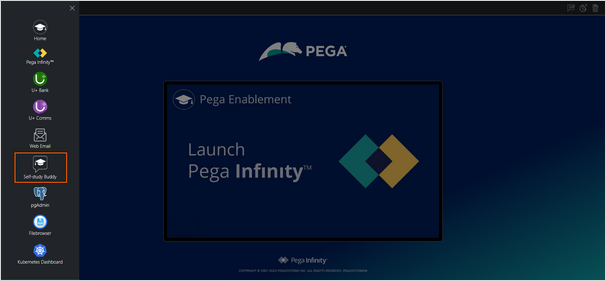
- On the Exercise System landing page, on the upper left, click the Application Switcher, and click Self-study Buddy icon to open the buddy.
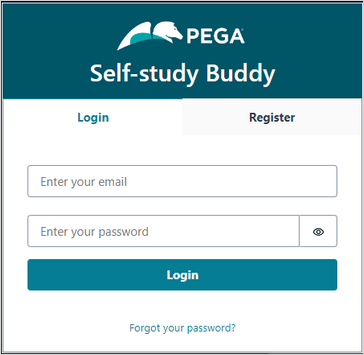
- Log in to Self-study Buddy:
- Enter your email ID.
- Enter your password.
- Click Login.
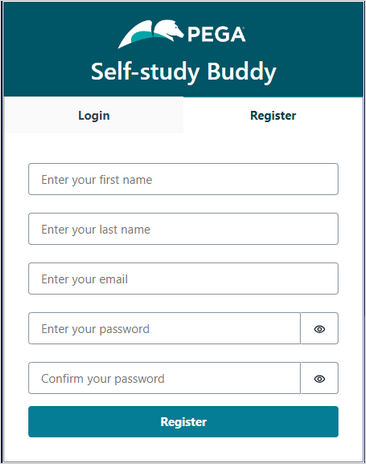
- If you are a new user, click the Register tab to create an account:
- Enter your first name.
- Enter your last name.
- Enter your email ID.
- Enter a password for your account.
- Confirm the password.
- Click Register.
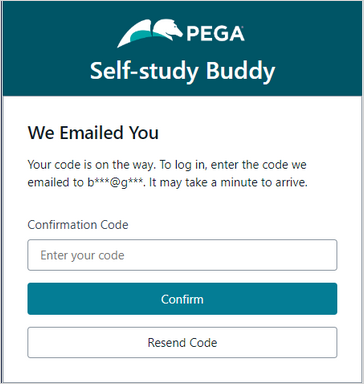
- In the the Confirmation Code field, enter the code sent to the email ID that you entered while registering an account.
- Click Confirm.
2 Engage with Self-study Buddy
- In the enter your own question section, enter What is Pega GenAI?.

- Click Ask to post the question.
After processing the question, Self-study Buddy generates the answer. In addition, the buddy provides links to Pega Academy and/or Pega documentation reference content.
- In the enter your own question section, replace the existing question with What are the key use cases of Pega GenAI in Pega Customer Decision Hub?.
- Click Ask to post the question.
Check the answer that Self-study Buddy generates.
You can ask as many questions as you want to learn more about the Pega Infinity software suite.
Este Reto es para practicar lo aprendido en las siguientes Módulos:
- Pega GenAI v3
- Pega GenAI v4
Disponible en las siguientes misiones:
If you are having problems with your training, please review the Pega Academy Support FAQs.
¿Quiere ayudarnos a mejorar este contenido?