
デフォルトのプロパティ値
ユーザーがケースを作成するときに、既知のプロパティにデフォルト値を設定すると、ユーザーのデータ入力にかかる時間を削減できます。たとえば、保険請求のケースでデフォルトの損害発生日を今日の日付に設定できます。
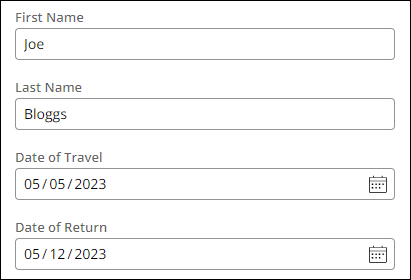
他のケースでは、ユーザーの組織単位などのオペレーターレコードのデータを使用して、プロパティ値を開始できます。たとえば、旅行予約アプリケーションでは、オペレーターのレコードからユーザーの姓と名を参照し、「First Name」と「Last Name」フィールドに設定できます。さらに、「Date of Travel」フィールドを今日の日付に設定し、「Date of Return」フィールドを7日後の日付に設定することもできます。旅行予約の例は、次の図で示されます。
開発環境では、デフォルト値を設定しておくと便利なこともあります。プロセスを繰り返し実行して変更をテストするときに、データトランスフォームを使用して必要なフィールドにデフォルト値を入力すると、時間の節約になります。
データ初期化ページ
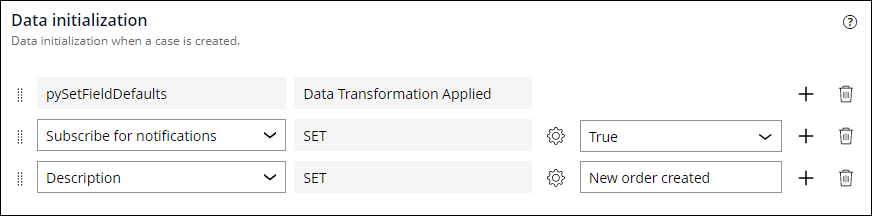
App Studioのデフォルト値は、ケースタイプのSettingsタブにあるData initializationページを使用して編集できます。ケースを作成するとき、デフォルト値を設定するプロパティを選択し、各プロパティに具体的な値を割り当てることができます。また、プロパティは同じケースタイプ内の別のプロパティに設定することもできます。使用可能なアクションとプロパティはドロップダウンメニューに表示されます。 次の例では、ケースの作成時に特定のアクションを行うための3つのデータ初期化が設定されています。
- 通知を購読。
- Description フィールドを「New order created」に設定します。
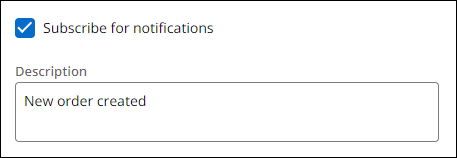
実行時、次の図に示すように、Caseインスタンスは、「Data initialization」ページで指定したデフォルト値を表示します。
補足: Data initializationページでは、pySetFieldDefaultsデータトランスフォームが更新されます。Dev Studioではさらに複雑なデータ初期化ユースケースを設定します。
次の問題に答えて、理解度をチェックしましょう。
pyDefault and pySetFieldDefaults
When you create a View for your Case Type for the first time, Pega Platform creates the pyDefault and pySetFieldDefaults Data Transforms. When you create a new Case, the pyDefault Data Transform is invoked to set the default values for that Case. The pySetFieldDefaults Data Transform runs when a View is loaded and is used to set default values for fields presented to a user.
The Data initialization page updates the pyDefault Data Transform. It is best practice to use the Data initialization page when possible and use the pyDefault Data Transform for more complex default values.
注: The pyDefault Data Transform invokes the pySetFieldDefaults Data Transform. The pySetFieldDefaults Data Transform is modified by the system when Views are being configured. You should not modify the pySetFieldDefaults Data Transform as changes applied by the system during View configuration risk overwriting these changes.
In the following image of the pyDefault configurations, the First Name (.FirstName) and Last Name (.LastName) fields are set to pyFirstName and pyLastName from the OperatorID Clipboard Page:
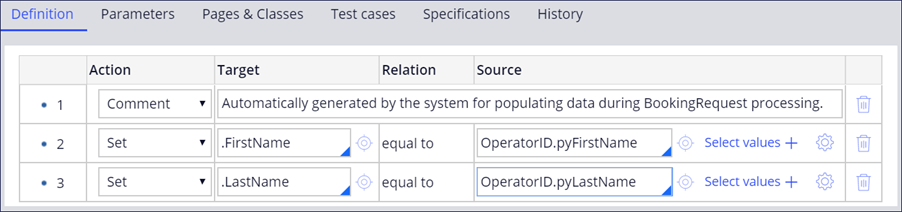
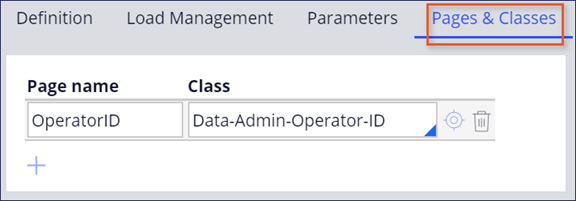
To reference the Data Page in the example above, you must add an entry to the Pages & Classes tab. The following image displays OperatorID Data Page added in the Pages & Classes tab:
Check your knowledge with the following interaction:
このトピックは、下記のモジュールにも含まれています。
トレーニングを実施中に問題が発生した場合は、Pega Academy Support FAQsをご確認ください。