
Adding a new web font
The Pega design system uses the Open Sans web font. This font is available if you use UI-Kit or Theme-Cosmos.
To use different web fonts, perform the following steps:
- Create a rule-file binary for the woff2 and woff web font files for each font-weight. For example, to support Regular, Bold, and ExtraBold, you need to upload six files:
- webwb/MyNewFont-Regular.woff2
- webwb/MyNewFont-Regular.woff
- webwb/MyNewFont-Bold.woff2
- webwb/MyNewFont-Bold.woff
- webwb/MyNewFont-ExtraBold.woff2
- webwb/MyNewFont-ExtraBold.woff
Nota: There is no need to upload an EOT, SVG, or TTF file. WOFF2 and WOFF will work for all supported browsers (IE11 is the only browser to use WOFF, modern browsers use WOFF2).
- Create a new CSS rule-file text and attach the rule to your skin as an additional file.
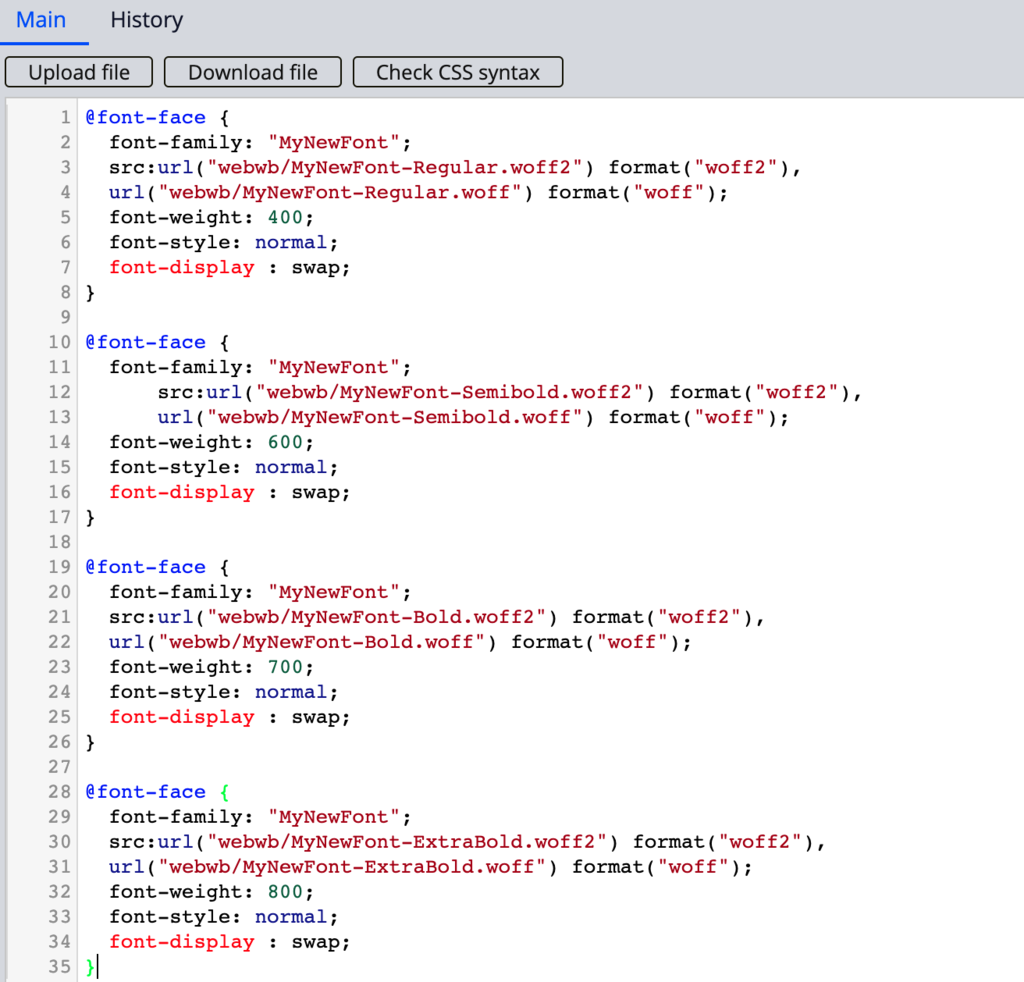
- Edit the file to load the new font.
Nota: If you are using Pega 8.3 or lower, you will need to add a question mark after each file. For example
@font-face {
font-family: "MyNewFont";
src:url("webwb/MyNewFont-ExtraBold.woff2?") format("woff2"),
url("webwb/MyNewFont-ExtraBold.woff?") format("woff");
font-weight: 800;
font-style: normal;
font-display : swap;
}
@font-face {
font-family: "MyNewFont";
src:url("webwb/MyNewFont-ExtraBold.woff2?") format("woff2"),
url("webwb/MyNewFont-ExtraBold.woff?") format("woff");
font-weight: 800;
font-style: normal;
font-display : swap;
}
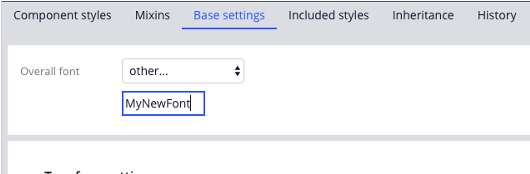
- In your application skin, in the Base settings tab, change your Overall font to other... and enter the name of the new font-family as defined in the file above.
Check your knowledge with the following interaction.
If you are having problems with your training, please review the Pega Academy Support FAQs.
Quer nos ajudar a melhorar esse conteúdo?