
Auditing changes to the value of fields
Archived
1 Task
5 mins
Beginner
Security
Inglese
Scenario
GoGoRoad provides roadside assistance services. For a Roadside assistance case type, a driver selects the payment type — credit card or cash. The default payment type is credit card. When the driver changes the payment type, the Auditing team wants to record the change in the case history for availability during a potential audit. Configure the GoGoRoad application to record changes to the payment type field in the Assistance Request case type.
The following table provides the credentials you need to complete the challenge.
| Role | User name | Password |
|---|---|---|
| Application Developer | author@gogoroad | pega123! |
Note: Your practice environment may support the completion of multiple challenges. As a result, the configuration shown in the challenge walkthrough may not match your environment exactly.
Challenge Walkthrough
Detailed Tasks
1 Configure the application to track changes to the Payment Type property
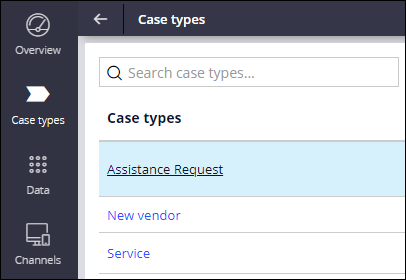
- In App Studio, from the navigation pane, click Case types > Assistance Request to open the Assistance Request case type.
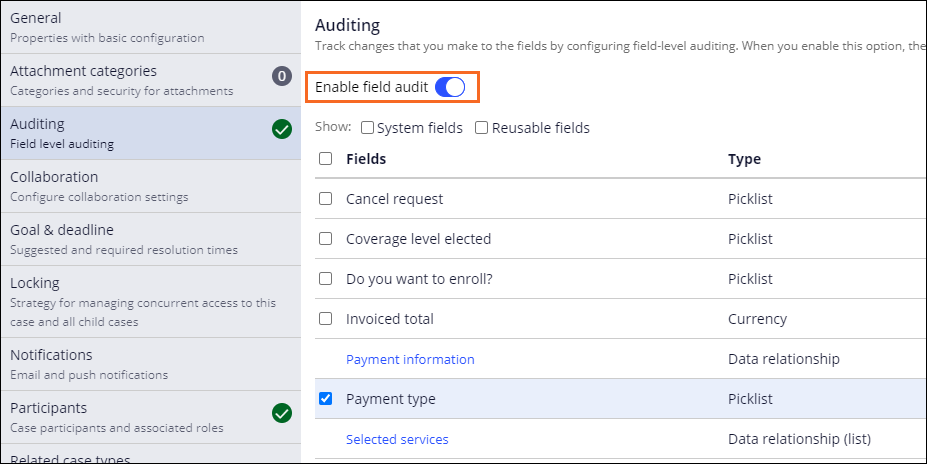
- Click Settings > Auditing.
- Turn on the Enable field audit switch to display the fields section.
- In the list of fields, select the Payment type check box.
- Click Save.