
Data access in UI controls
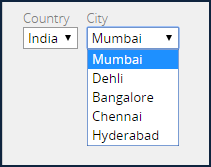
Applications often use lists to manage user input. Populating list values from a data source — rather than embedding list values in a property definition — improves application maintenance by avoiding the need to rerelease an application when the list values change. For example, a financial services company can provide a user with a list of cities with branch offices when scheduling an appointment with a financial advisor. The entries in the list update whenever branch locations are added to or removed from the data source.
When you populate a list with data from a data page, only the selected value is copied to the data model of a case. The value copied to the case does not need to match the value displayed in the list. For example, a drop-down contains a list of country names. When the user selects a country, the application can copy the country code, rather than the country name, to the case.
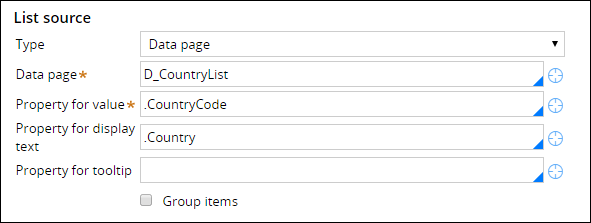
When you populate a list with data from a data page, the items in the list update according to the refresh strategy specified on the data page. If the data page accepts a parameter, Pega Platform™ creates a data page instance each time the parameter changes, updating the list contents.
Check your knowledge with the following interaction:
トレーニングを実施中に問題が発生した場合は、Pega Academy Support FAQsをご確認ください。