

Pega Web Mashup
Pega Web Mashup
Pega Web Mashup enables you to embed Pega application content or functionality within a web page or mobile application on your intranet or internet site, for users to view on any device. You create a Pega Web Mashup in App Studio or Dev Studio and deploy it to leverage the security and user interface features of Pega Platform™.
Mashups generated by Pega Web Mashup provide the same rich application experience users normally have in a Pega Platform application. Actions commonly defined inside a mashup include:
- Opening a new case
- Displaying a user's worklist
- Selecting and performing an assignment
For example, you can use a mashup to allow users to receive auto insurance policy quotes.
Web Mashup interface
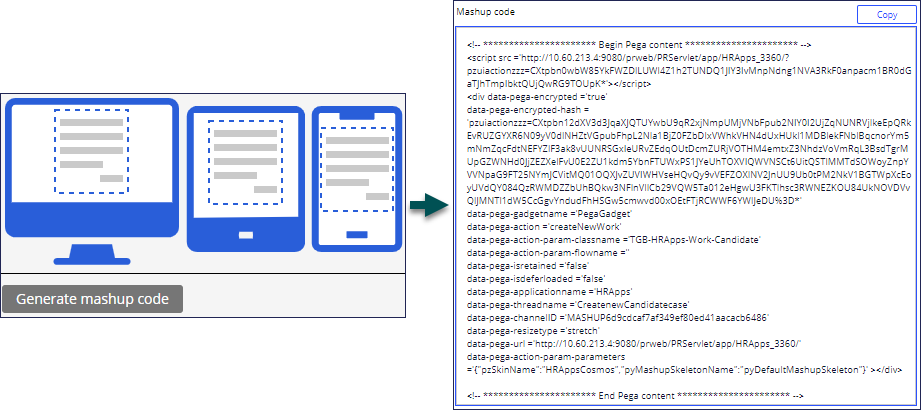
On the Web Mashup interface form, you configure the mashup options and generate the mashup code. The Generate mashup code option opens a window that provides the necessary HTML for you to copy, paste, and view within the web page. You can modify the code to meet the specific needs of the web page or to customize the appearance of the mashup. For example, you can set the width of the mashup.
トレーニングを実施中に問題が発生した場合は、Pega Academy Support FAQsをご確認ください。