
Relevant records
Relevant records
Relevant records are rules that have been marked for reuse automatically by Pega Platform™ or manually by application developers in Dev Studio. More technically advanced developers might configure advanced behavior on a rule in Dev Studio, then mark the rule as a relevant record so that the rule is accessible by other developers from prompts in App Studio.
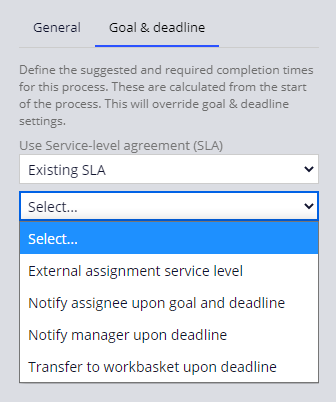
For example, you configure an assignment with an existing service-level agreement (SLA) that another developer creates in Dev Studio. When you select the existing SLA option in App Studio, the SLA you want is available only from the drop-down if the other developer marks the SLA they developed as a relevant record in Dev Studio.
Leveraging relevant records allows developers to design and configure application behavior using developer-approved records. Using relevant records during application development improves application quality and reduces development time.
When you create records in App Studio, Pega Platform automatically marks the records as relevant. For example, Pega Platform automatically marks fields, views, and processes as relevant records when you create them in a case type or data type. You can manually mark many rules types as relevant records such as:
- Properties
- Sections
- Harnesses
- Paragraphs
- Correspondences
- Service Level Agreements
- Flows
- Flow actions
注: Verify that a record is guardrail-compliant before you designate the record as a relevant record.
Developers access relevant records in App Studio when adding a step to a process, adding fields to a user view, or applying a service level. For example, when configuring a user view for a step in the case life cycle, the Fields and Views lists are populated with relevant records.
In the center of the following image, slide the vertical line to see how relevant records are displayed in the Fields and the Views lists.
Check your knowledge with the following interaction.
トレーニングを実施中に問題が発生した場合は、Pega Academy Support FAQsをご確認ください。