
Repeating dynamic layouts
Repeating layouts are used to present list-based content. There are two repeating layout options: table layout and repeating dynamic layout.
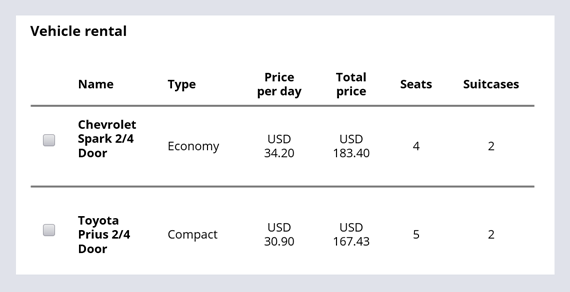
Generally, a table layout is for simple text entry controls, such as input fields or calendar controls. The textual data is presented in a series of columns and rows. Like a spreadsheet, a table layout displays a data row for each item in a list and has limited responsive capabilities.
The repeating dynamic layout option is a more flexible and aesthetic format. Repeating dynamic layouts are better when you want:
- To use the formatting capabilities of a dynamic layout within a repeating structure
- To use lists to display a section for each item on the list. Each section can contain any number of layouts
- To include an image or other graphics, for example, an image of a vehicle or interactive map
The vehicle rental case type example shows available vehicles within a selected date range in a repeating dynamic layout.

Repeating layout configuration and behavior at run time
In a repeating layout, when you configure a single layout as a template, Pega Platform™ automatically applies the template to each item in the list at run time.
Check your knowledge with the following interaction:
トレーニングを実施中に問題が発生した場合は、Pega Academy Support FAQsをご確認ください。