Overriding Case Urgency
Archived
2 Aufgaben
10 Min.
Mittel
Case Management
Englisch
Szenario
Onboarding cases have an initial urgency of 10. However, certain contractors need an expedited onboarding process because they are hired to work on short-term projects or projects with a tight deadline, or because of unforeseen circumstances. To provide the option to prioritize certain onboarding cases, add a local action that references the UrgencyUpdate flow action to the Select Seating Location assignment.
The following table provides the credentials you need to complete the challenge.
| Role | User name | Password |
|---|---|---|
| Senior System Architect | SSA@TGB | rules |
Hinweis: Your practice environment may support the completion of multiple challenges. As a result, the configuration shown in the challenge walkthrough may not match your environment exactly.
Challenge-Schritte
Genaue Übungsschritte
1 Create a local action to update case urgency
- In Dev Studio, open the Onboarding case type.
- In the Onboarding case type, open the Facilities Setup process to access the flow canvas.
- In the upper right of the flow canvas, click Open process.
- On the flow canvas, right-click Select Seating Location, and then select View Properties to edit the step properties.
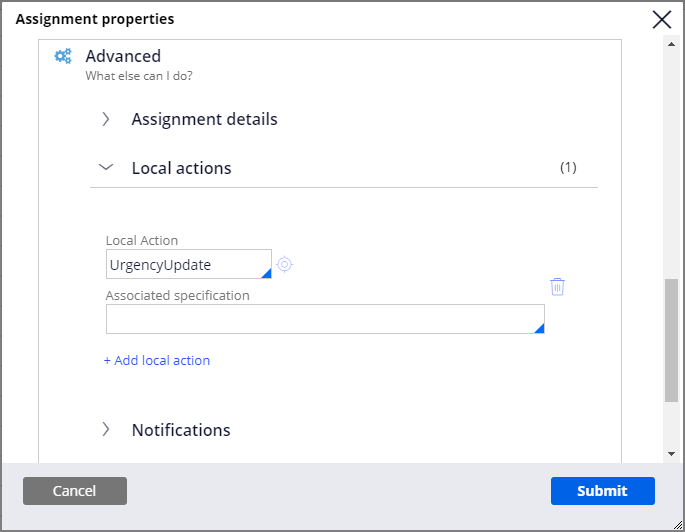
- In the Assignment properties dialog box, in the Advanced section, expand Local actions.
- In the Local Action field, enter or select UrgencyUpdate
- Click Submit to close the Assignment properties dialog box.
- Click Save to save the process.
2 Confirm your work
- Run the Onboarding case type and advance to the Select Seating Location step.
- Open the Clipboard tool.
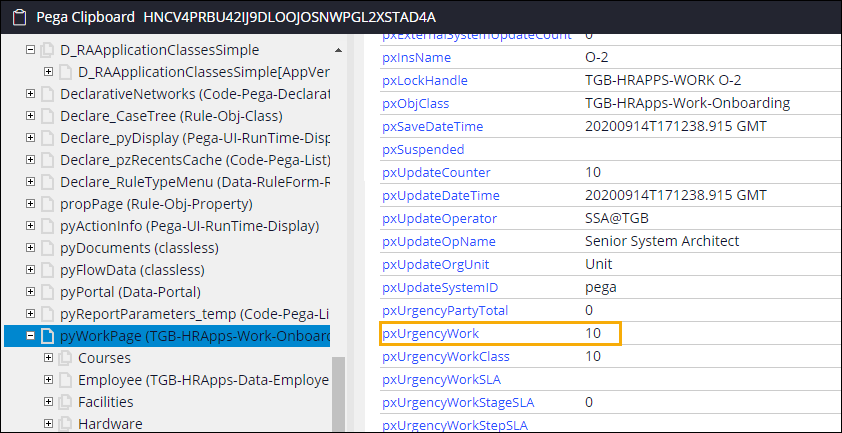
- Click pyWorkPage > pxUrgencyWork to confirm that the field value is 10.
- Return to the Select Seating Location view.
- In the Actions menu, click Assign the employee to a seat > Update case urgency.
- In the Urgency adjustment field, enter 20.
- Click Submit to increase the case urgency by 20.
- Return to the Clipboard tool.
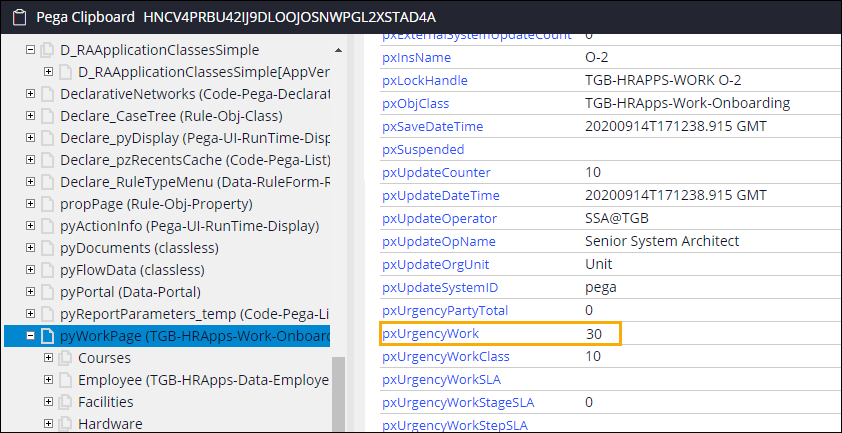
- Click pyWorkPage > pxUrgencyWork to confirm that the field value is 30.