

Creating a child Case
Archived
2 Tareas
10 minutos
Principiante
Case Management
Inglés
Escenario
InsCorp is launching a roadside assistance service as a coverage option for automobile insurance policies. Configure the Assistance request case type to create a Service case during the Service stage to perform the selected services.
The following table provides the credentials you need to complete the challenge.
| Role | User name | Password |
|---|---|---|
| Application Developer | author@gogoroad | pega123! |
Nota: Your practice environment may support the completion of multiple challenges. As a result, the configuration shown in the challenge walkthrough may not match your environment exactly.
Recorrido del Reto
Tareas detalladas
1 Create a Service case as a child case
- In the navigation pane of App Studio, click Case types > Assistance Request to open the Assistance Request case type.
- Hover over the Service stage, and then click More > Add process > New process.
- In the new process field, enter Create Service case.
- Under the Create Service case process, click Step to create a new step in the stage.
- Click More > Automations > Create case, and then click Select to add the Create case step to the process.

- In the Create case step, enter Create Service case to replace the default text.
- In the contextual properties pane on the right, in the Create the following case list, select Service to create a Service case.
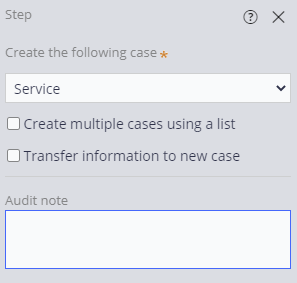
- On the Service (1) step, click the delete icon to delete the step. Ensure that the Service stage matches the following image.

- Click Save to complete the Assistance Request workflow.
2 Configure the Service case type
- In the navigation pane of App Studio, click Case types > Service to open the Service case type.
- Click the Settings tab to open the Service case type properties.
- In the General section, under Availability, clear the Show in 'New' menu check box, which disables the Service case creation in the create menu.
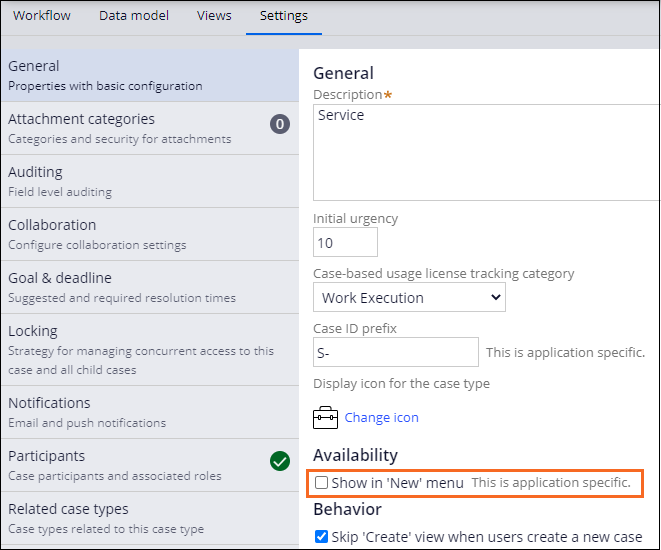
- Click Save to save the Service case type.
Nota: To reflect the Service case type settings, log off and log in back to the application.